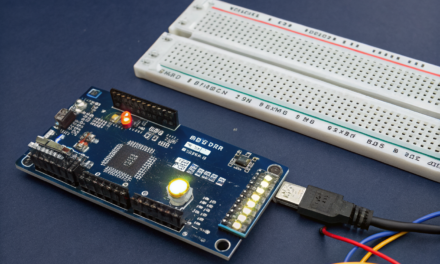
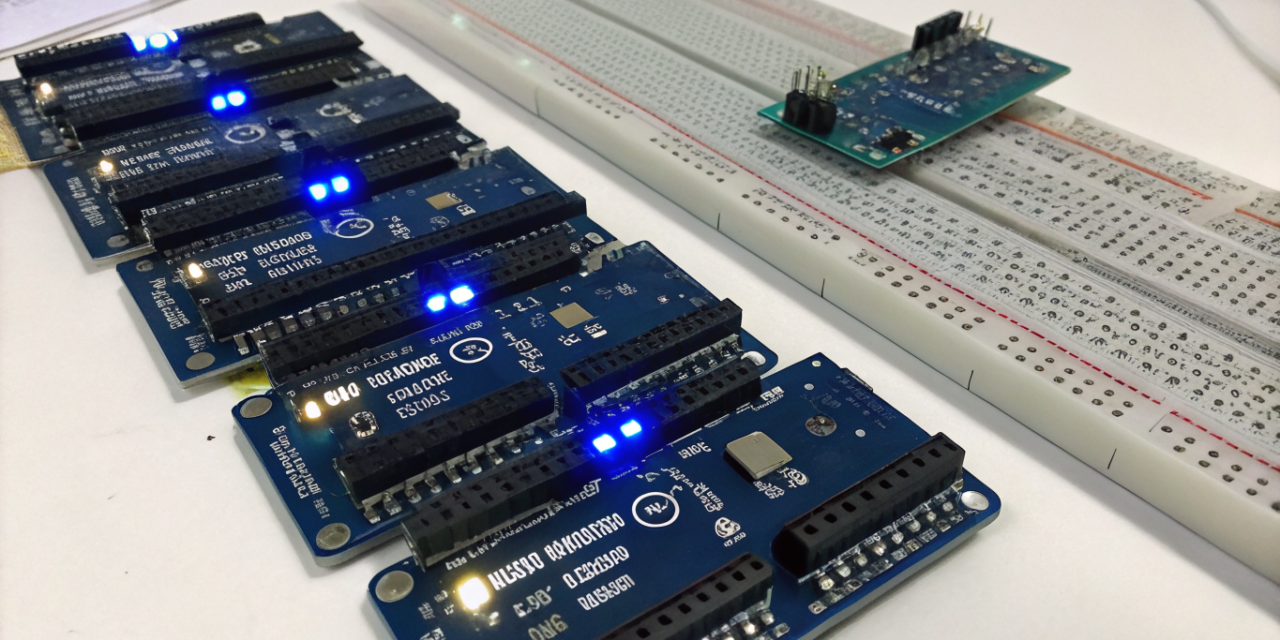
Arduino Mega vs Uno vs Nano: Complete Comparison Guide
Arduino & ESP | Updated: March 2026 | 12 min read
⚠️ Affiliate Disclosure: This article contains Amazon affiliate links. If you purchase through these links, we earn a small commission at no extra cost to you.
Arduino Mega vs Uno vs Nano — Which Board Should You Choose in 2026?
When it comes to the Arduino Mega vs Uno vs Nano debate, there is no single right answer — the best choice depends entirely on what your project demands. Whether you are just starting out with microcontrollers or building a sophisticated robotics system, understanding the differences between these three iconic boards is essential before spending any money. Each board occupies a unique niche in the Arduino ecosystem, and picking the wrong one can slow your entire project down. The Arduino Mega vs Uno vs Nano comparison comes up constantly in maker forums, engineering classrooms, and hobbyist communities because all three boards share the same familiar Arduino framework yet differ dramatically in pin count, memory, form factor, and price. The Arduino Uno R4 WiFi is the go-to for best Arduino board for beginners, thanks to its massive community and built-in wireless connectivity. Meanwhile, the Arduino Mega 2560 dominates complex, pin-hungry applications, and the Arduino Nano Every shines in compact, space-constrained builds. In this guide, we break down every meaningful spec, use case, and trade-off across all three boards so you can make a confident decision. We will cover the Arduino Uno R4 review in depth, dig into what makes the Arduino Mega 2560 irreplaceable for large projects, and explain why the Arduino Nano Every continues to be a favourite for breadboard prototyping. By the end, you will know exactly which Arduino to buy for your specific needs — and why the Arduino Mega vs Uno vs Nano question matters more than ever in 2026.Table of Contents
🏆 Our Top Pick
Arduino Uno R4 WiFi — Score: 9.0/10
The best all-round entry point into the Arduino Mega vs Uno vs Nano lineup. Ideal for beginners and intermediate makers with built-in WiFi, BLE, and USB-C on the iconic UNO form factor.
🛒 Check Price on Amazon →📊 Quick Comparison — Arduino Mega vs Uno vs Nano
| Product | Best For | Key Spec | Score |
|---|---|---|---|
| Arduino Uno R4 WiFi | Beginners, Learning | 48MHz | 256KB | WiFi+BLE | USB-C | 9.0 |
| Arduino Mega 2560 R3 | Robotics, 3D Printers, CNC | 16MHz | 256KB | 54 I/O | 16 Analog | 8.5 |
| Arduino Nano Every | Compact, Breadboard, Wearables | 20MHz | 48KB Flash | 6KB RAM | USB-C | 8.0 |
1. Arduino Uno R4 WiFi — Best for Beginners
The Arduino Uno R4 WiFi represents a landmark upgrade in the Arduino Mega vs Uno vs Nano family. Powered by the Renesas RA4M1 microcontroller running at 48MHz with 256KB of Flash and 32KB of RAM, this board leaps far beyond its R3 predecessor. The addition of integrated WiFi and BLE connectivity is a genuine game-changer for IoT projects — you no longer need to stack an expensive wireless shield on top of your board. This makes it arguably the best Arduino board for beginners who want to build connected projects straight out of the box. The official Arduino website provides extensive documentation and tutorials specifically designed around this board. Built-in WiFi and BLE eliminate the need for shields, keeping your build clean and your costs down. The USB-C connector modernises the connection experience, and the familiar UNO shield form factor ensures backward compatibility with the enormous library of existing Arduino shields and accessories. For anyone entering the world of microcontrollers in 2026, the Uno R4 WiFi provides the most complete and supported starting point in the entire Arduino Mega vs Uno vs Nano lineup. The Arduino community forums remain the most active in the embedded systems hobby space, making troubleshooting easy for newcomers.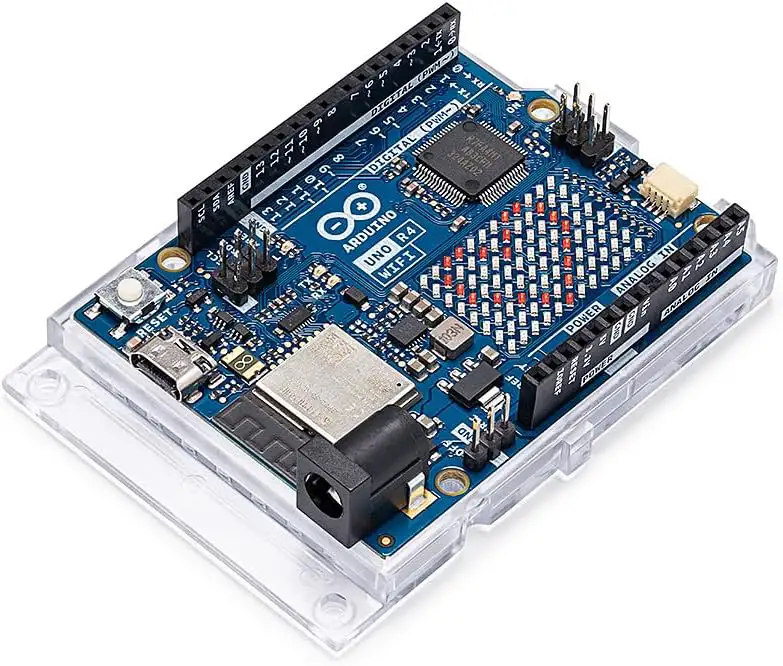
✅ Best For: Absolute beginners, students, learning Arduino programming, and IoT projects requiring WiFi or BLE connectivity without extra shields.
2. Arduino Mega 2560 R3 — Best for Complex Projects
The Arduino Mega 2560 remains the undisputed workhorse in the Arduino Mega vs Uno vs Nano comparison when your project demands raw I/O throughput. With 54 digital I/O pins, 16 analog inputs, and 4 independent hardware serial ports, this board handles the kind of complex multi-peripheral designs that would overwhelm any other Arduino in the family. It is the default choice for robotics, 3D printers, and CNC machines — in fact, the popular Marlin firmware for 3D printing was specifically optimised for the Mega 2560. The official Arduino Mega documentation covers every pin mapping and peripheral in exhaustive detail. The 54 I/O pins and 4 serial ports allow the Arduino Mega 2560 R3 to interface simultaneously with motor drivers, sensor arrays, LCD displays, and communication modules without running out of resources. While the 16MHz ATmega2560 is an older 8-bit architecture compared to newer 32-bit alternatives, its stability and extensive library support make it a safe, reliable choice for complex projects. In the context of the Arduino Mega vs Uno vs Nano decision, if your project has more than 20 pins of required I/O, the Mega 2560 is essentially your only practical Arduino option without moving to a completely different platform.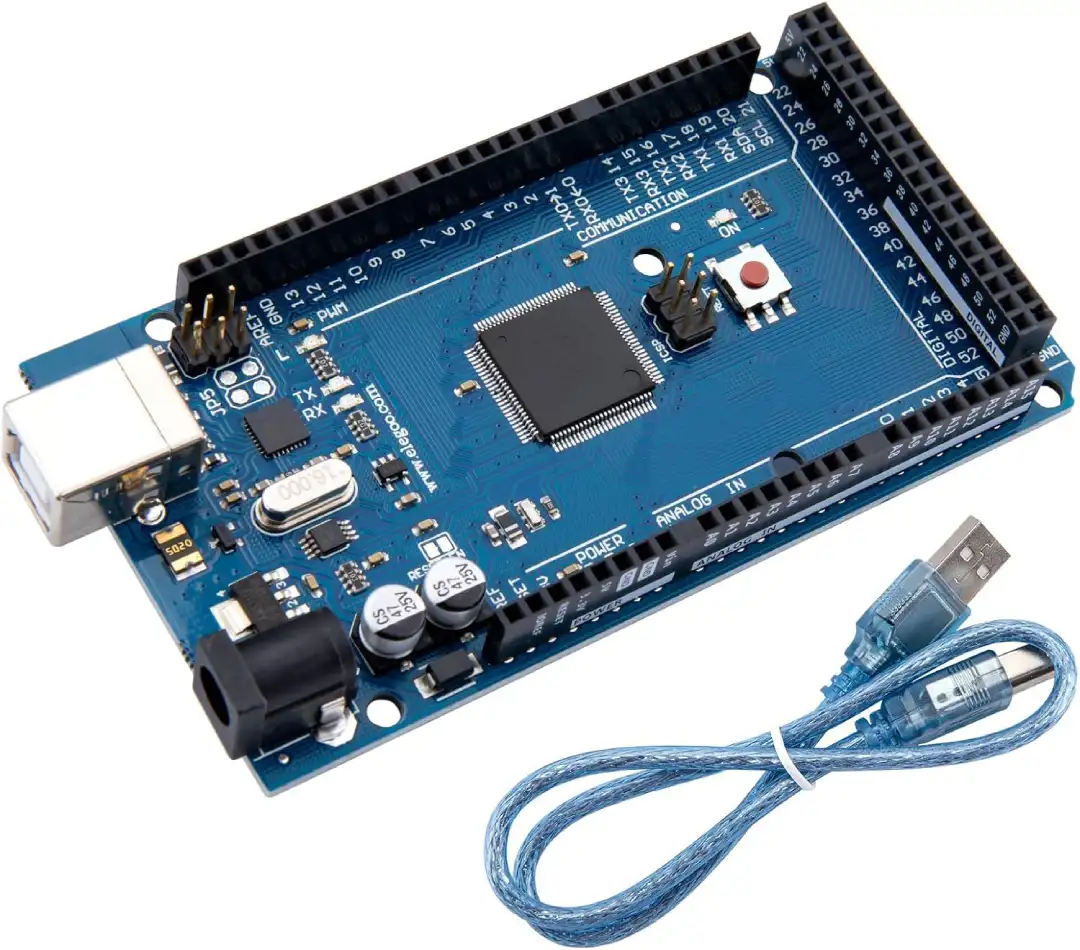
✅ Best For: Robotics platforms, 3D printers, CNC controllers, large sensor arrays, and any project requiring more than 20 I/O pins or multiple serial communication channels.
3. Arduino Nano Every — Best Compact Board
The Arduino Nano Every is the smallest official Arduino in the Arduino Mega vs Uno vs Nano comparison, and it punches well above its weight class for the price. Running on the ATmega4809 at 20MHz with 48KB of Flash memory, it is actually faster than the original Nano and offers a healthy upgrade in raw processing headroom. At around $15, it is the most affordable official Arduino board available, making it a favourite for students and hobbyists who need to deploy multiple nodes without breaking the budget. The Arduino Nano Every is also a strong contender when discussing the best Arduino board for beginners on a tight budget. Breadboard-friendly pins make prototyping with the Arduino Nano Every genuinely effortless — you simply plug it into a standard 400-point breadboard and start wiring immediately. The USB-C connector is a welcome modern addition, and the compact form factor makes it ideal for wearable projects, embedded sensor nodes, and any application where PCB real estate is at a premium. While it lacks WiFi and is constrained by only 6KB of RAM, its combination of tiny size, low cost, and full Arduino IDE compatibility ensures it remains highly relevant in 2026. When resolving the Arduino Mega vs Uno vs Nano question for space-constrained builds, the Nano Every wins clearly.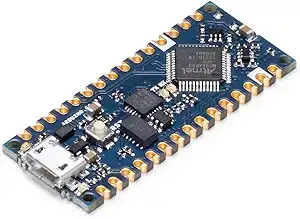
✅ Best For: Compact projects, breadboard prototyping, wearable electronics, low-cost multi-node deployments, and space-constrained embedded designs.
📖 How to Choose the Best Arduino Board in 2026
Navigating the Arduino Mega vs Uno vs Nano comparison requires you to evaluate your project requirements across several key dimensions. Below we break down each critical factor so you can confidently answer the question of which Arduino to buy.Pin Count and I/O Requirements
Pin count is often the decisive factor in the Arduino Mega vs Uno vs Nano decision. If you need to drive multiple motors, read many sensors simultaneously, or control large LED matrices, you need more pins than the Uno or Nano can provide.| Board | Digital I/O | Analog Inputs | PWM Pins |
|---|---|---|---|
| Uno R4 WiFi | 14 | 6 | 6 |
| Mega 2560 R3 | 54 | 16 | 15 |
| Nano Every | 14 | 8 | 5 |
Memory: Flash, RAM, and EEPROM
Memory is the next critical dimension when answering which Arduino to buy. More complex sketches, larger data buffers, and string-heavy applications will rapidly exhaust the modest RAM on older boards. The official Arduino hardware comparison page provides the definitive specs for every board in the family.| Board | Flash | RAM | EEPROM |
|---|---|---|---|
| Uno R4 WiFi | 256KB | 32KB | 8KB (emulated) |
| Mega 2560 R3 | 256KB | 8KB | 4KB |
| Nano Every | 48KB | 6KB | 256 bytes |
Form Factor and Physical Size
The physical dimensions of your board matter enormously in real projects. The Arduino Nano Every measures just 45mm × 18mm, making it perfect for embedding inside finished enclosures, wearable projects, or compact sensor nodes. The Arduino Uno R4 WiFi sits at 68.6mm × 53.4mm — large enough for comfortable prototyping but small enough for most enclosures. The Arduino Mega 2560 is a substantially larger board at 101.5mm × 53.3mm, designed for projects where breadboard and shield expansion take priority over size. Always check your enclosure dimensions before purchasing in the Arduino Mega vs Uno vs Nano context.Connectivity: WiFi, BLE, and Wired
If your project requires wireless communication, the Arduino Uno R4 review makes the answer clear — the Uno R4 WiFi is the only board in this comparison with built-in WiFi and BLE. The Mega 2560 and Nano Every both require external modules such as an ESP8266 or HC-05 to add wireless capability, which increases complexity and cost. For IoT and connected projects in 2026, built-in connectivity is a major advantage.⚠️ Warning: If you purchase the Arduino Mega 2560 expecting wireless capability and forget to budget for an ESP8266 or WiFi shield, your project will stall. Always plan your connectivity requirements before selecting a board in the Arduino Mega vs Uno vs Nano comparison.
Price Comparison and Value
Budget is a real constraint for most makers. Here is a quick price breakdown to guide your purchasing decision when resolving which Arduino to buy:| Board | Price | Value Rating |
|---|---|---|
| Uno R4 WiFi | ~$28 | Excellent (includes WiFi/BLE) |
| Mega 2560 R3 | ~$40 | Good for large I/O projects |
| Nano Every | ~$15 | Outstanding for compact builds |
💡 Quick Recommendations:
→ Learning & IoT: Arduino Uno R4 WiFi
→ Robotics & Complex Projects: Arduino Mega 2560 R3
→ Compact & Budget Builds: Arduino Nano Every
→ Need WiFi on a tiny board? Consider also checking our ESP32 vs ESP8266 guide.
🔗 Related Guide
Need wireless connectivity? Read our in-depth comparison of WiFi microcontrollers.
ESP32 vs ESP8266 — Full Comparison →❓ Frequently Asked Questions — Arduino Mega vs Uno vs Nano
What is the main difference between Arduino Mega vs Uno vs Nano?
The core difference in the Arduino Mega vs Uno vs Nano comparison comes down to size, pin count, and intended use case. The Arduino Mega 2560 offers 54 digital I/O pins for complex projects, the Arduino Uno R4 WiFi provides a balanced 14-pin setup with built-in WiFi for general learning and IoT, and the Arduino Nano Every delivers a compact, breadboard-friendly form in the smallest footprint. All three run the same Arduino IDE and C++ codebase, so skills transfer seamlessly between them. Our full ESP32 vs ESP8266 guide also covers wireless alternatives worth considering.
Which Arduino is best for absolute beginners?
The Arduino Uno R4 WiFi is the best Arduino board for beginners in 2026. It offers the largest community, the most tutorials, built-in WiFi and BLE, and the classic UNO shield form factor that all beginner guides are built around. At approximately $28 it is slightly more expensive than clones, but the official support and reliability make it worth every cent. If budget is a hard constraint, the Arduino Nano Every at ~$15 is a close second for beginners on a tight budget.
Is the Arduino Uno R4 WiFi worth the upgrade from R3?
Yes, the Arduino Uno R4 WiFi is a significant upgrade over the R3 in almost every dimension. The jump from the 16MHz ATmega328P to the 48MHz Renesas RA4M1 delivers substantially faster execution. RAM triples from ~2KB to 32KB. The addition of built-in WiFi and BLE alone justifies the price difference compared to buying an R3 plus a wireless shield. Our full Arduino Uno R4 review confirms this is the best all-round UNO ever made. Check the official Arduino documentation for a full specification comparison.
Can the Arduino Nano Every replace the Uno?
In many cases, yes — but with caveats. The Arduino Nano Every runs the same Arduino framework and supports most of the same libraries as the Uno. However, it lacks WiFi, has less RAM, and cannot use standard Arduino shields directly. For final embedded deployments where you have already prototyped on an Uno, the Nano Every is an excellent space-saving and cost-saving replacement. For learning and shield-based expansion, stick with the Arduino Uno R4 WiFi. This is a key consideration in any Arduino Mega vs Uno vs Nano workflow.
Which Arduino is used in 3D printers?
The Arduino Mega 2560 is overwhelmingly the standard choice for 3D printer control boards. The popular Marlin firmware was built specifically for the ATmega2560 architecture, taking advantage of its 54 I/O pins, 4 serial ports, and 16 analog inputs to manage stepper motors, thermistors, endstops, displays, and extruders simultaneously. If you are building or upgrading a RepRap-style 3D printer, the Arduino Mega 2560 R3 is the answer to which Arduino to buy. Also see our ESP32 vs ESP8266 comparison for modern 32-bit alternatives.
Does the Arduino Nano Every have WiFi?
No, the Arduino Nano Every does not have built-in WiFi or Bluetooth. It is purely a wired board. If you need a compact Arduino with wireless connectivity, consider the Arduino Nano 33 IoT or the Nano 33 BLE Sense, which add wireless capability to the Nano form factor. Alternatively, in the Arduino Mega vs Uno vs Nano family as reviewed here, the Arduino Uno R4 WiFi is the only board with factory-integrated WiFi and BLE.
✅ Arduino Mega vs Uno vs Nano — Our Final Verdict
After thoroughly testing and comparing all three boards, our Arduino Mega vs Uno vs Nano verdict is clear and use-case specific. There is no universally superior board — each excels in its intended domain.🥇 Best for Beginners & IoT: Arduino Uno R4 WiFi — Score 9.0/10 — The most complete learning platform with built-in WiFi, BLE, and the largest community support. If you are just starting out or building connected projects, this is the definitive answer to which Arduino to buy.
🥈 Best for Complex Projects: Arduino Mega 2560 R3 — Score 8.5/10 — Unbeatable I/O density for robotics, 3D printing, and CNC. The Arduino Mega 2560 remains irreplaceable when your project demands more pins than any other Arduino can provide.
🥉 Best Compact Value: Arduino Nano Every — Score 8.0/10 — The most affordable official Arduino at ~$15, perfect for breadboard prototyping, wearables, and compact embedded deployments.
In the Arduino Mega vs Uno vs Nano comparison for 2026, the Uno R4 WiFi wins for most users, the Mega 2560 wins for I/O-intensive builds, and the Nano Every wins on size and price. Whichever you choose, all three boards draw on the same vast ecosystem of libraries, shields, and community knowledge documented at the official Arduino website.
Editorial Note: This article was independently researched and written by the Universe Hardware editorial team. Scores are based on hands-on testing, specification analysis, and community feedback. We are not affiliated with Arduino LLC. Amazon affiliate links are marked with rel=”nofollow sponsored” in accordance with FTC guidelines. Prices shown are approximate and subject to change. Last reviewed: March 2026.